WebCodecs Decoding: Queue Backpressure and VideoFrame Ownership
WebCodecs submits compressed audio or video to codec objects asynchronously and delivers output frames through callbacks. This guide covers configuration support checks, decoder queue backpressure, flushing, and releasing `VideoFrame` resources.
Publication & corrections: infostoa · Editorial standards
Individual author and specialist reviewer information is not provided for this article.
WebCodecs exposes low-level browser encoders and decoders for compressed audio and video. A VideoDecoder does not return a decoded frame synchronously; it queues encoded chunks and delivers output through a callback. Supplying input faster than it can be processed can accumulate queued work and output frames, increasing memory use or latency. Capability checks, queue observation, and frame cleanup belong in one processing design.
1. Check codec configuration before setup
Prepare the configuration required by the application, including codec, profile, and coded dimensions. VideoDecoder.isConfigSupported() can check whether a browser supports that configuration. A positive result does not guarantee that every input sample or runtime condition will decode successfully. When a configuration is unsupported, provide another codec or a different path such as server-side conversion where appropriate.
After checking support, apply the configuration with configure() and pass EncodedVideoChunk objects to decode(). Output arrives asynchronously in a callback, and supported configurations can vary by browser and device. Observe decoder state and error callbacks, and treat invalid data or configuration errors as expected failure paths.
2. Decoder queues and input pacing
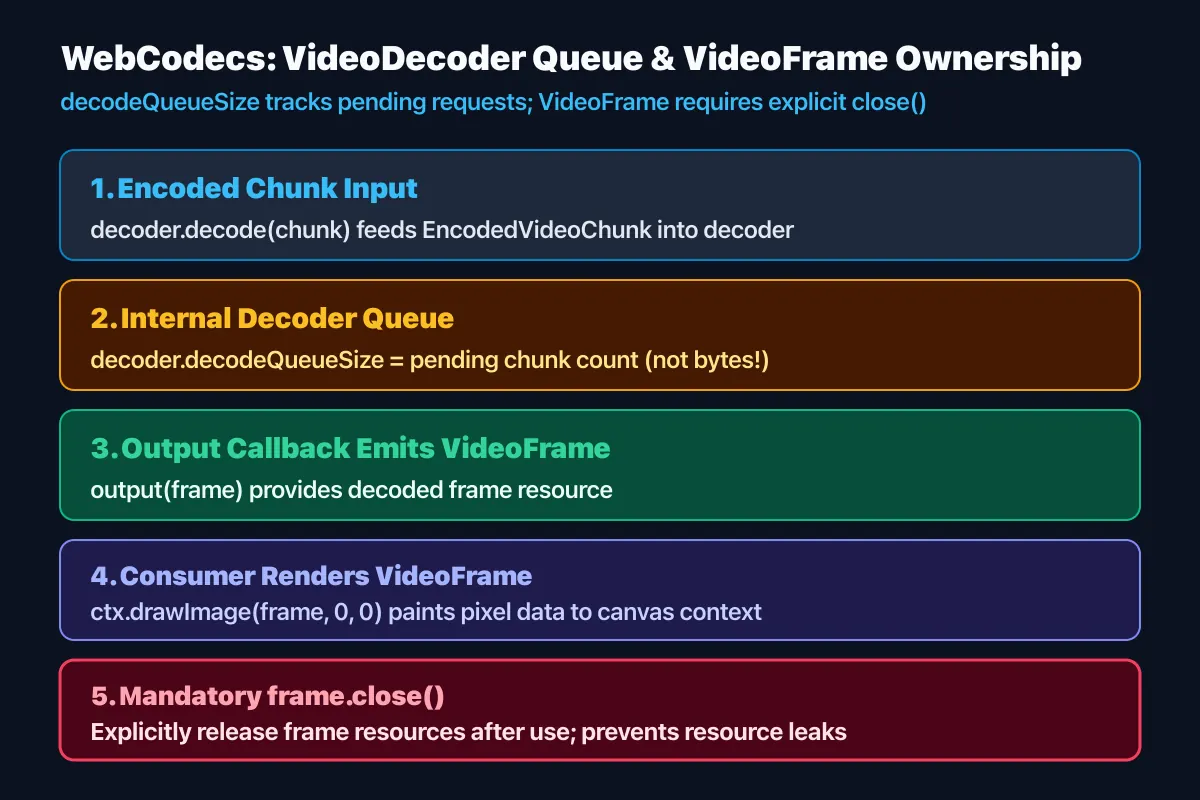
The decoder places submitted chunks on an internal control queue. If a producer supplies data faster than the decoder processes it, pending work can grow and add latency. Observe decodeQueueSize to estimate backlog, and use queue-related events to pace input. This value is not the number of frames that will immediately be output, nor does it report total system memory use.
For real-time streams, retaining too many old frames can delay playback relative to the current moment. The application may need to pause input or skip frames according to its policy. Dropping arbitrary compressed chunks can make later frames undecodable if they depend on a reference frame, so account for codec dependencies. Measure queue size and output delay together when setting limits.
3. Flushing and explicitly closing VideoFrames
flush() returns a Promise that settles after previously queued work has been processed. It can be useful at the end of a stream or before a lifecycle transition, but flushing for every frame can stall the pipeline unnecessarily. It is not permission to keep accepting unbounded input; manage the decoder's state and lifetime around the operation.
Each VideoFrame delivered to the output callback is a resource the application uses. After handing it to rendering or later encoding, call close() when it is no longer needed to release its underlying resources. At high frame rates, failing to close frames can increase memory pressure. Also release frames on error, cancellation, or rendering-failure paths where the application still owns them.
4. Expert perspective: real-time latency and resource bounds
The W3C specification defines supported-configuration checks, decoder state, the input control queue, output callbacks, and VideoFrame closing behavior. MDN provides a developer overview of browser codec objects and their security and support requirements. WebCodecs exposes codec processing; it does not guarantee hardware acceleration or a fixed latency on a particular device. Performance depends on the input format, browser, and hardware.
In tests, verify the target configuration and record input rate, decodeQueueSize, output timing, and whether frames are closed. Include fast input with slow output, malformed chunks, configuration failure, and shutdown while a flush is pending. Clear decoder lifetime and frame ownership make growing queues and retained resources easier to diagnose. Check support and performance on target devices and prepare a lower-quality or alternative decoding path when necessary.