Web Bluetooth API: BLE GATT Access and Browser Security Boundaries
How Web Bluetooth accesses BLE GATT services, why discovery requires user action, and which permission and implementation limits remain.
Publication & corrections: infostoa · Editorial standards
Individual author and specialist reviewer information is not provided for this article.
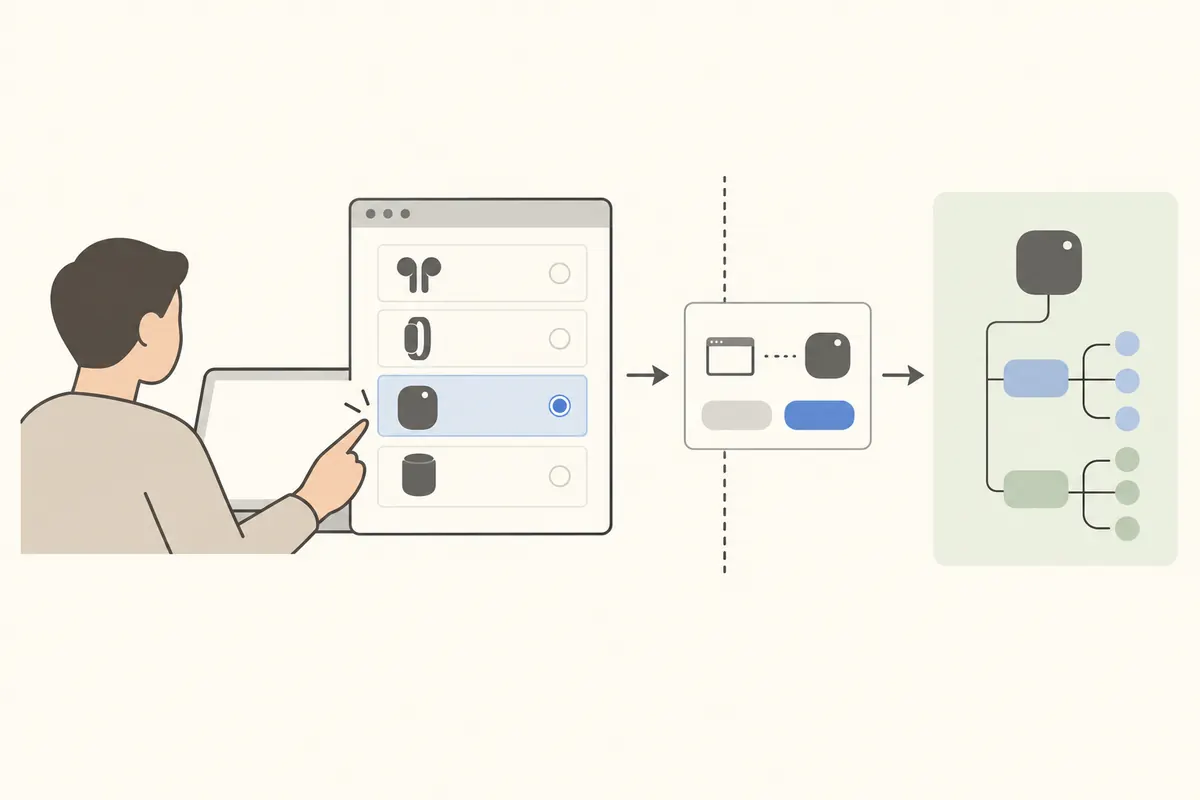
Web Bluetooth is not an unrestricted way for a page to scan every nearby radio. It is a constrained path: a request begins in a secure context with user activation, the browser presents devices for the user to choose, and the page then accesses permitted BLE GATT data. Understanding that boundary helps developers use the API without treating browser consent as proof that a device or its data is trustworthy.
What Web Bluetooth connects
The 3 June 2026 Web Bluetooth document is a W3C Bluetooth Community Group Draft Report, not a W3C Standard or a document on the W3C Standards Track. It describes a website acting as a central and connecting to a BLE peripheral’s GATT server. A device exposes services, and services expose characteristics. A characteristic is the unit through which a device may allow operations such as reading a value, writing data, or subscribing to notifications. For example, a page can read a battery-level characteristic or subscribe to heart-rate measurements when the device implements those services and operations.
A typical flow calls requestDevice(), connects to the selected BluetoothDevice’s GATT server, and looks up a service and characteristic. A name or service filter narrows the chooser; it does not authenticate a device or prove that returned data is genuine. The API covers BLE GATT in the central role. It does not provide arbitrary classic Bluetooth profiles or a connection to an internet server.
Discovery starts with an explicit user action
The W3C Community Group draft requires transient user activation when requestDevice() is invoked. Chrome’s developer guide likewise starts discovery from a gesture such as a button click and presents a browser device chooser where the user can select a device or cancel. This constrains silent background discovery. A request for a newly selected device is also distinct from retrieving devices for which a site already has permission.
A page may need to declare services outside its chooser filter in optionalServices before it can access them later. If a page filters only by device name and omits a service it later requests, service access can fail after the user has selected the device. Make filters reflect the data the application needs, and treat connection, read, and write failures as ordinary outcomes rather than impossible edge cases.
Secure contexts, Permissions Policy, and the GATT blocklist
Web Bluetooth is limited to secure contexts and governed by the bluetooth Permissions Policy. The draft’s default allowlist is self; cross-origin iframe access requires matching permission in the response header and the iframe’s policy. A policy denial can prevent a permission prompt from appearing, so adding a click handler alone cannot resolve every access failure.
The draft refers to registry blocklists that restrict which GATT attributes and manufacturer data a page may access. This is a boundary in a developing specification and its browser implementations, not a guarantee that a user-selected device is safe. A chooser selection does not establish firmware integrity, accurate measurements, or cryptographic device identity. For sensitive controls, evaluate authentication in the device protocol separately, validate received values, and request only the services the page needs.
Practitioner perspective: what to test before shipping
Chrome’s guide demonstrates device selection, GATT connection, service and characteristic lookup, notifications, and handling a disconnection event. Radio conditions and device state can break a connection, so an application should detect gattserverdisconnected and offer a clear, user-mediated way to reconnect. It should not promise that automatic reconnection always works or behaves identically across devices.
Support depends on the browser, operating system, peripheral implementation, and security policy. The W3C document is a Community Group draft; it does not establish a final standard or uniform behavior across all user agents. Test the permission flow, declared services, cancellation, denial, and disconnection on the actual deployment targets. Make clear that the browser picker grants access but does not certify the device.